> ## Documentation Index
> Fetch the complete documentation index at: https://docs.file.ai/llms.txt
> Use this file to discover all available pages before exploring further.
# MCP Server Configuration
> How to run our MCP server on Cursor and Claude.
## **Configuring Cursor**
**HTTP Transport**
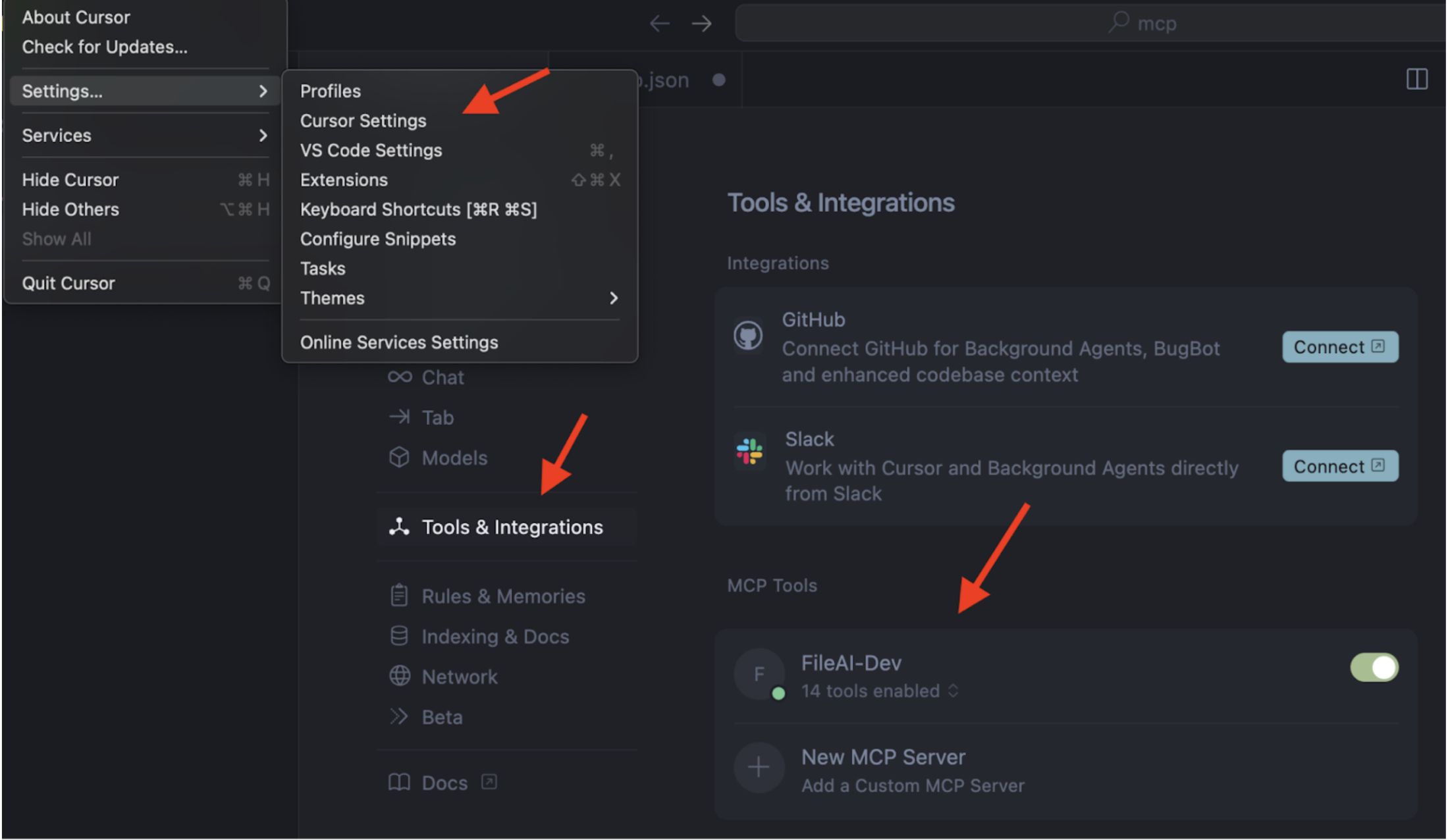
1. Open Cursor Settings (Ctrl/Cmd + ,)
2. Navigate to Tools & Integration → MCP Tools
3. Click **+ New MCP Server**
 **Use the configuration below:**
```
{
"mcpServers": {
"FileAI-Prod": {
"url": "https://mcp.file.ai",
"env": {
"API_KEY": "YOUR_API_KEY_HERE"
}
}
}
}
```
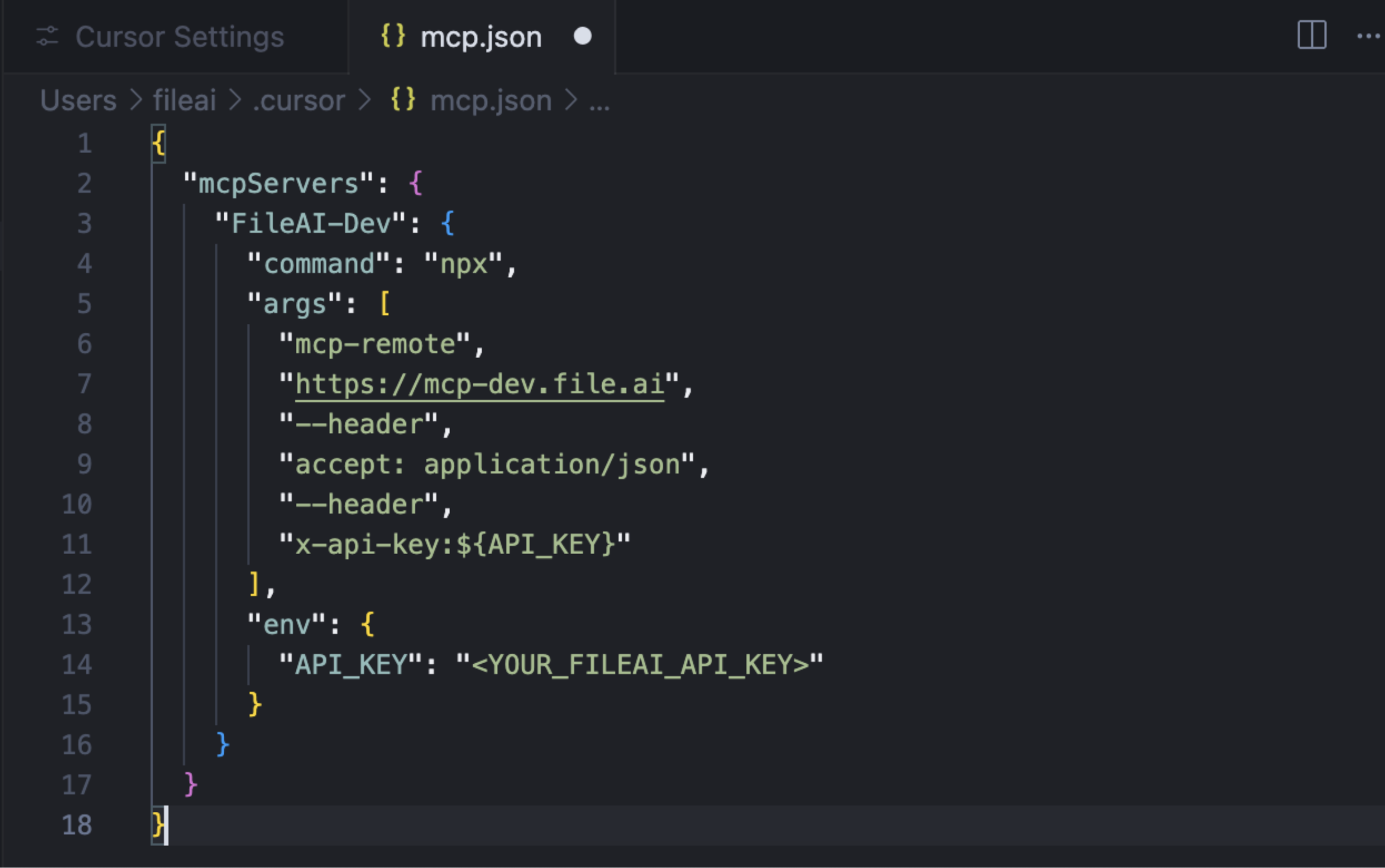
Your mcp.json should look like below:
**Use the configuration below:**
```
{
"mcpServers": {
"FileAI-Prod": {
"url": "https://mcp.file.ai",
"env": {
"API_KEY": "YOUR_API_KEY_HERE"
}
}
}
}
```
Your mcp.json should look like below:
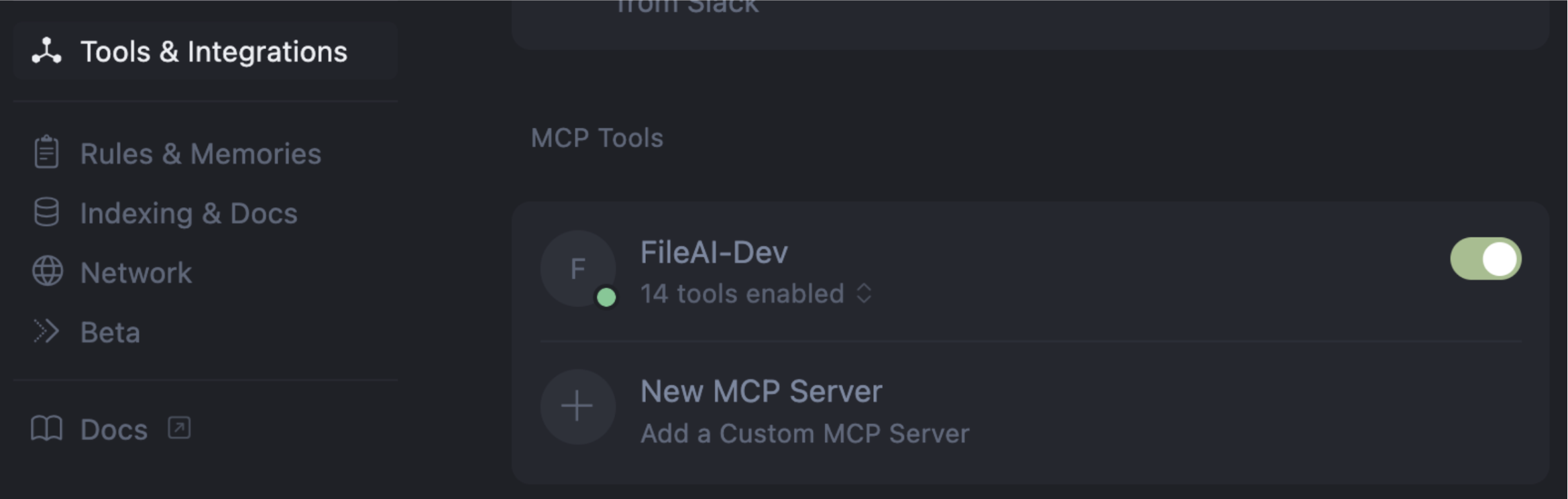
 Verify that the MCP Server is set up correctly. You should see that tools are enabled.
 ## **Configuring Claude**
To add the fileAI MCP Server to Claude:
1. Go to your **Claude Integrations** page
2. Click **+ Add integration**
3. In the URL field, enter:
```
https://mcp.file.ai/sse?x-api-key=Bearer YOUR_API_KEY_HERE
```
Replace `YOUR_API_KEY_HERE` with your actual fileAI API key.
\_Please note that Claude has restrictive rules regarding the ability to send PII via MCP. Please ensure that your use case is consistent with Claude’s Terms of Service. \_
***
## Configuring Windsurf, Cline Github Copilot and other MCP clients
Visit [mcp.file.ai](http://mcp.file.ai) to get instructions on how to install fileAI's MCP Server on other clients.
## **Configuring Claude**
To add the fileAI MCP Server to Claude:
1. Go to your **Claude Integrations** page
2. Click **+ Add integration**
3. In the URL field, enter:
```
https://mcp.file.ai/sse?x-api-key=Bearer YOUR_API_KEY_HERE
```
Replace `YOUR_API_KEY_HERE` with your actual fileAI API key.
\_Please note that Claude has restrictive rules regarding the ability to send PII via MCP. Please ensure that your use case is consistent with Claude’s Terms of Service. \_
***
## Configuring Windsurf, Cline Github Copilot and other MCP clients
Visit [mcp.file.ai](http://mcp.file.ai) to get instructions on how to install fileAI's MCP Server on other clients.